Pleione
An IPTV player for LG and Samsung TVs. Your own playlists and accounts, a real programme guide, and every screen laid out for a remote with four arrows on it.
A television is the one computer in the house nobody wants to type on, and the apps written for it mostly forget that. Pleione plays the IPTV service you already have — live channels with a programme guide and catch-up, movies and series — on an LG or Samsung TV, and it is built around the fact that the only input device in the room is a remote.
It brings no channels of its own. You add an M3U playlist or an Xtream account from your own provider, several if you have them, and Pleione does the rest: finds the guide, sorts the catalogue, and remembers where you stopped, down to which audio and subtitle track you chose on each channel and each title.
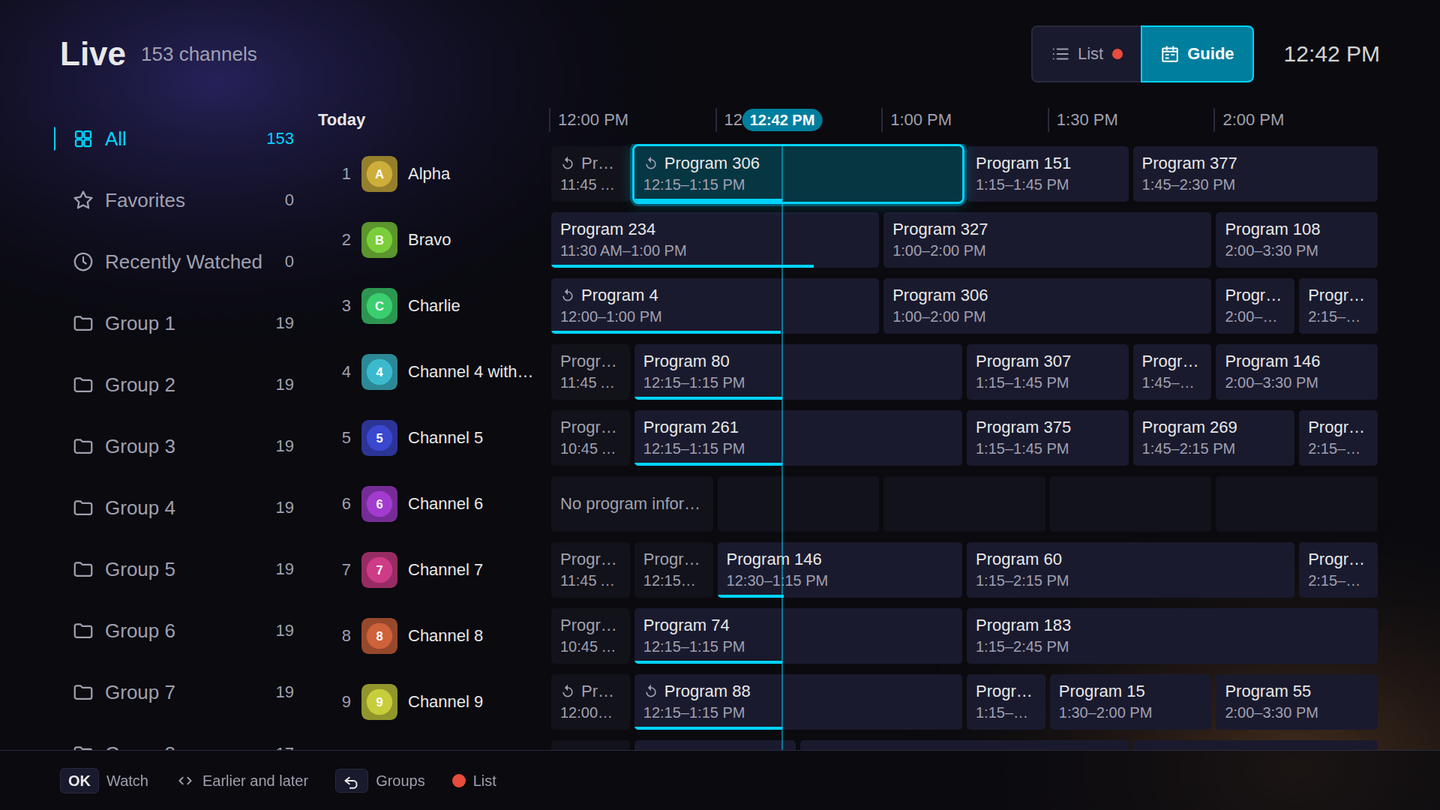
The oldest TV sets the rules
Pleione runs on LG sets from webOS 4, which shipped in 2018, and on Samsung sets from 2020. The browser inside a 2018 LG is Chromium 53, and that one number decides more of the code than any feature does.
- A modern API does not fail on an old TV. It quietly does nothing. So the build targets Chromium 53, a lint gate rejects anything newer, and every fallback is chosen by measuring the engine at boot rather than by guessing from the model year.
- Chromium 53 throws away a whole CSS rule over one selector it does not
know. Put
:focus-withinbeside an old selector and both stop styling anything. A lint rule now keeps the two in separate rules, because the failure has no error message — the screen just looks wrong on one TV. - On the oldest sets, the service bundled with the app runs on Node 0.12. TypeScript compiles it down to ES5, and a second gate scans the output for anything that would not load there.
Playlists also get large, and a TV is not a fast computer. The benchmarks run the views against fifty thousand channels on a CPU throttled four times, stream a 128 MiB playlist through the parser, and fail when a key press gets slower than the baseline allows.
Typing on a remote is the problem, so don’t
Entering an account with arrow keys — a server address, a username, a password with symbols in it — is where most people give up on a TV app. Pleione puts a QR code on screen instead. Scan it, type the pairing code, and fill in the details on your phone. The upload happens over your home network, only while Pleione is open, and a TV browser cannot listen on the network at all, so a small service is bundled with the app to do it.
The TV’s own player, on purpose
The obvious way to play a stream in a browser is to parse it in JavaScript and feed the decoder yourself. On the content the app plays today, that measured better: correct audio tracks, exact subtitle timing, and six hundred fewer lines of code. Pleione plays through the TV’s native pipeline anyway, because native is the only path that decodes 4K Dolby Vision with Atmos. A player that does better on today’s streams and cannot play the best one your provider sends is the wrong trade.
The cost is written down beside the decision, measured on real hardware rather than assumed. On the native path the app rebuilds subtitle timing itself. And a stream with two audio tracks in the same language — the main mix and an audio description, say — shows only one of them, because of a bug in the TV’s media framework that was fixed upstream in a version webOS does not ship. That one cannot be worked around from an app, so it is documented rather than hidden.
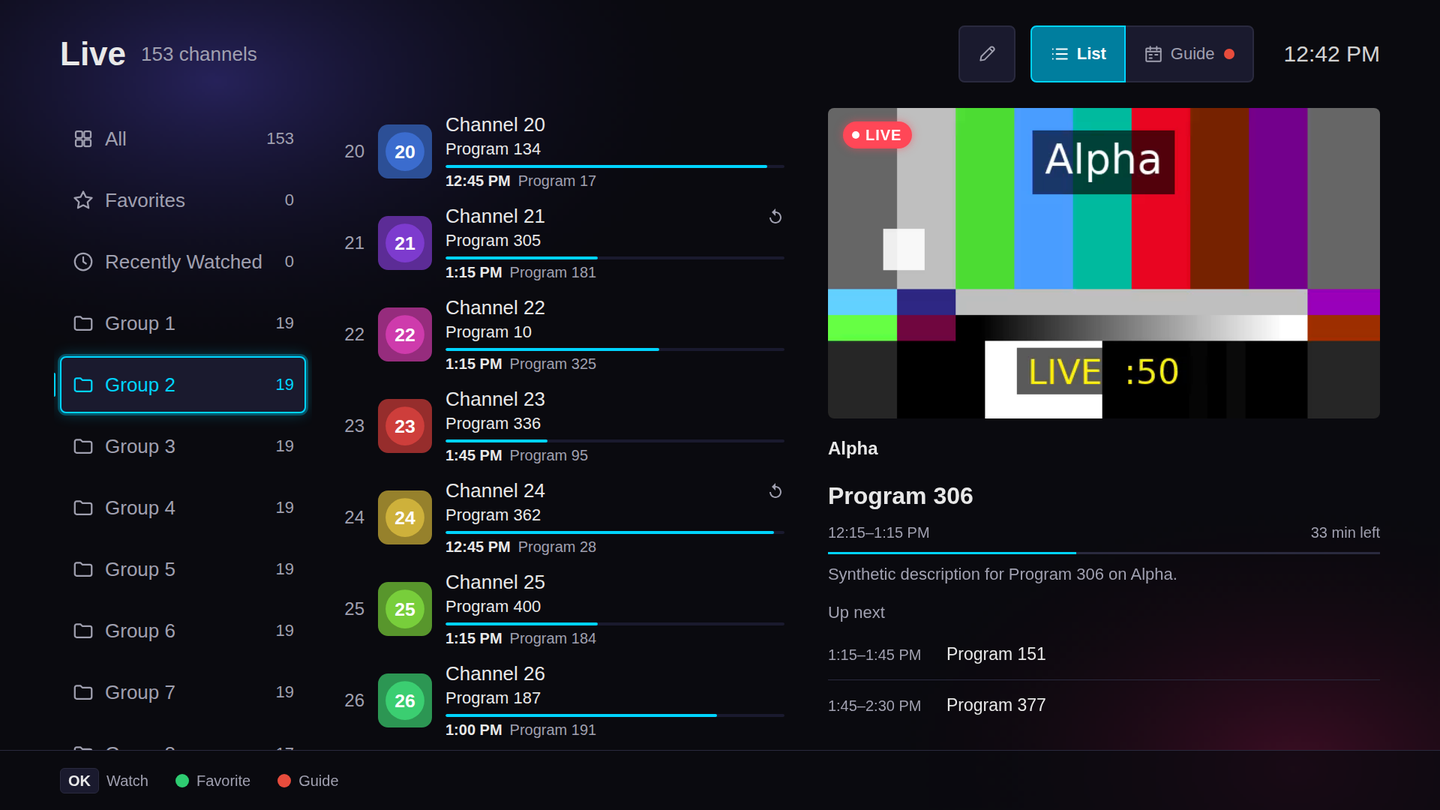
Arabic, properly
There are twelve languages, and Arabic mirrors the whole layout rather than just
the text. The build writes a mirrored copy of every stylesheet instead of
layering [dir="rtl"] overrides on top: an override outranks every rule it does
not restate, so its cascade can never quite match the left-to-right one. Search
is Arabic-aware too, matching across the spellings people actually type —
hamza, final letters, diacritics, and digits in either script.
What it will not do
- No account, no analytics, no ads. Your sources and history stay on the TV, and Pleione talks only to your own providers and the optional services you switch on.
- No recording. webOS gives apps no way to save a stream to storage. A server-side recorder is the honest answer, so the documentation points there.
- No multiview, and no playback speed. The TV allows one active video at a time, and its native streaming pipeline ignores speed changes. A control that does nothing would be worse than no control.
Pleione is free and open source under Apache-2.0. It began as a fork of webOS IPTV Player by lennylxx, and the credit travels inside every build.
The name is one of the cluster’s two parents. Pleione and Atlas make up the eastern edge of the Pleiades — in the asterism, but not among the seven sisters.
Releases
A smoke suite runs in each TV’s real Chromium engine, and wrapped rows sit flush on engines without flex gap.
Added
- A smoke suite that runs the app in the Chromium engines the supported TVs ship, from 53 to 120, on every tagged build.
Fixed
- Wrapped rows of buttons and chips no longer indent their second line on
the older TV engines that lack flexbox
gap.
Name an Xtream account from the phone setup page, which now looks like the app.
Added
- The phone setup page can name an Xtream account as you add it.
- A Cast photos section on the phone setup page, for your own TMDB key.
Changed
- The phone setup page has Pleione’s own look.
Fixed
- Settings’ header and sidebar no longer move while you scroll on Chromium 69
- Samsung TVs that play MPEG-TS natively are no longer sent through AVPlay.
Settings saves as it changes, with no Save or Cancel, and the app shows only the source you picked.
Changed
- Settings saves each change as you make it. Save and Cancel are gone.
- Only the source you picked is shown across the app. Live and the player’s sidebar no longer have a tab per source.
- The focus ring in Settings keeps clear of the screen edges.
Settings and the dialogs take on Pleione’s own look.
AVPlay on Tizen 8 and later, and a time format setting, 12-hour by default.
Added
- A Time format setting, 12-hour or 24-hour, 12-hour by default.
Changed
- Samsung TVs on Tizen 8 and later play through AVPlay.
Fixed
- The text in Live’s preview is no longer scaled twice.
Raw MPEG-TS plays through Samsung’s AVPlay on the TVs that need it, and phone setup works on Tizen 9.
Fixed
- Raw MPEG-TS streams play on the Samsung TVs whose browser cannot play them, through AVPlay.
- Phone setup starts on Tizen 9, whose service drops reply ports.
- The catalog’s large artwork is painted on its own layer, so moving past it stays smooth.
On Samsung, adding a source asks for privacy consent first, and Settings shows the policy.
Added
- On Samsung TVs, a privacy notice to agree to before a source is added, and the privacy policy in Settings.
A Samsung store package that passes Seller Office’s pre-test.
Samsung TVs from 2020 on, and a 1280×720 package for LG’s Full HD sets.
Added
- Samsung TVs from 2020 (Tizen 5.5) and later. Phone setup is not in this build yet.
- A 1280×720 package for LG’s Full HD TVs, mostly 32″ and some 43″ sets.
Install the
_fhdfile on those.
Fixed
- Faster re-tuning in Live, and a channel list that redraws only the rows that changed.
- Text fields take Samsung’s Return key as Back.
Arabic lays the whole interface out right to left, while passwords, PINs and the playback controls keep their own direction.
Added
- A fully mirrored right-to-left layout for Arabic: rails, the Guide’s timeline, the seek bar, the track menu, the channel list, overlays, and the phone setup page.
Changed
- Password fields, parental PIN slots and the player’s playback controls stay left to right.
The first release as Pleione: Restart for movies and catch-up, Continue Watching that resumes a series, and Live loaded through the Xtream Player API.
Added
- A Restart button for movies, episodes and catch-up.
- Continue Watching resumes a series at its last played episode, with the series’ own artwork. Hold OK on a title to remove it.
- The audio and subtitle tracks show as labeled pills in the player.
- A buffering spinner over movies, episodes and catch-up.
Changed
- Xtream Live channels load from the Player API, and each account signs in once per session.
- Episodes are named in the interface language.
Fixed
- A movie or episode that fails to start is retried before an error is shown.